timeware® HRMS › Roll Call
timeware® HRMS · Module
Roll call.
Who is on site, right now.
Real-time visibility of who is on-site, when it matters most. Nominate which attendance and access points count people in or out, connect the fire alarm panel, and Roll Call runs itself.
Key functions
✓
Real-time visibility of who is on-site during emergencies, employees and visitors alike.
✓
Instant, accurate headcounts for safety procedures.
✓
Connects to your fire alarm panel to trigger the roll call automatically.
✓
Nominated in/out devices keep the on-site picture accurate.
✓
Run from the timeware® Fire Marshal app, on the web, or triggered by your fire panel.
timeware® Fire Marshal app
Drill or incident, started from a phone.
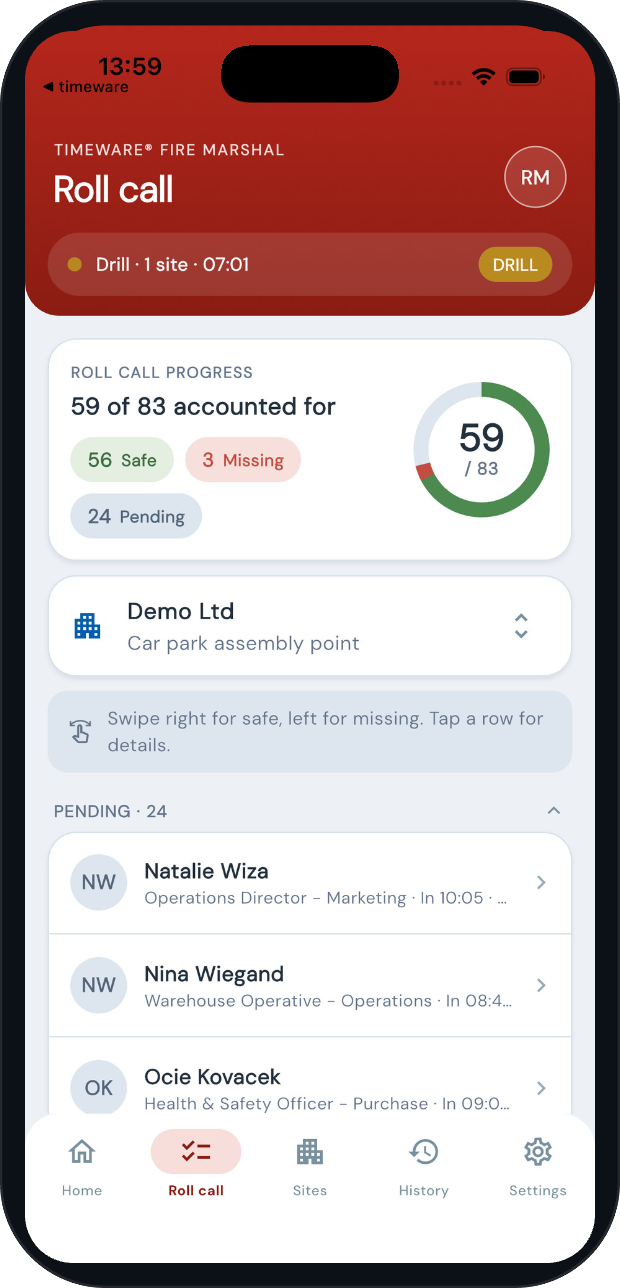
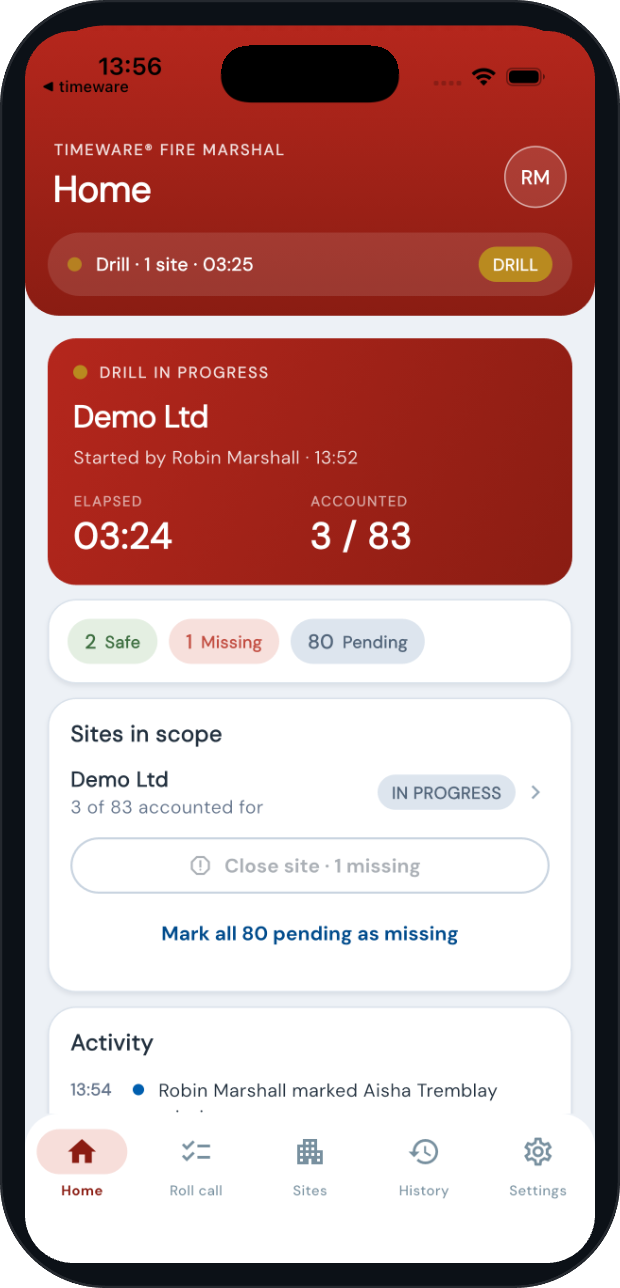
Marshals start a drill or an incident and the register builds itself from the live roll call: every employee clocked on site and every visitor marked in. A progress ring on every marshal’s phone shows how many are accounted for, with elapsed time running from the moment the run began.
Key functions
✓
Drill or incident, one tap. Pick any combination of sites and the app shows how many people it will account for: employees clocked on site plus visitors marked in.
✓
Optionally notify staff through ESS when a drill starts and ends.
✓
The register opens the moment a run begins, whether it was started on the app, on the web, by the fire panel or through the API.
✓
Readiness per site before anything happens: present employees by last-seen area, visitors on site, the assembly point, the last run, and whether a drill is due.
✓
Works offline at the assembly point; marks sync when signal returns. Push notifications when a drill or alarm starts, with a delivery check. Same fifteen languages as the ESS app, picked up from the phone or set in the app. Marshals sign in with your Microsoft Entra ID or Google single sign-on, so no separate password.
Safe, missing, pending
Who is still missing, at a glance.
✓
Swipe right for safe, left for missing. The list regroups itself so the missing sit at the top, in red, with the safe below in green and the pending still to check.
✓
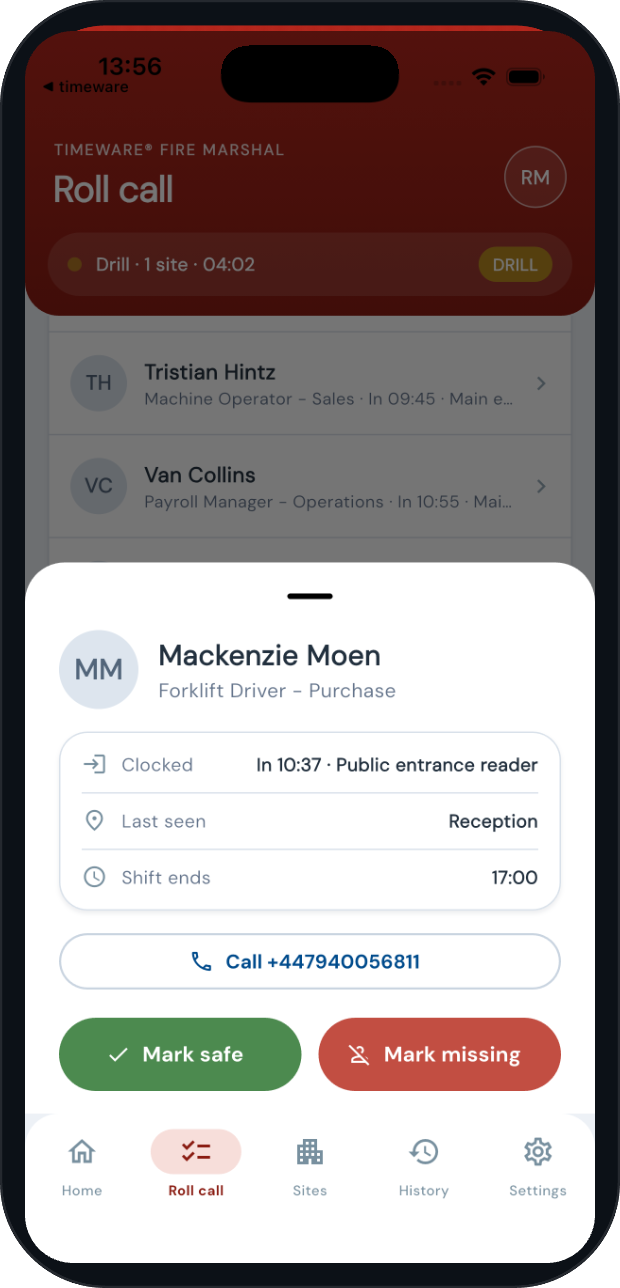
Tap a person for what the marshal needs to find them: clocked in where and when, last-seen area, when their shift ends, and a one-tap call to their mobile.
✓
Four ways to mark someone safe: a marshal on the app, a tap on the assembly-point puck, the web board, or the person’s own phone reporting they have reached the assembly point.
✓
Close the site when everyone is found, or with the missing recorded against the run. Send the all-clear to staff through ESS.
✓
People not on site are kept out of the count but one tap away, and anyone unexpected can be added to the register on the spot.

Every run, measured
Evidence for your fire risk assessment.
✓
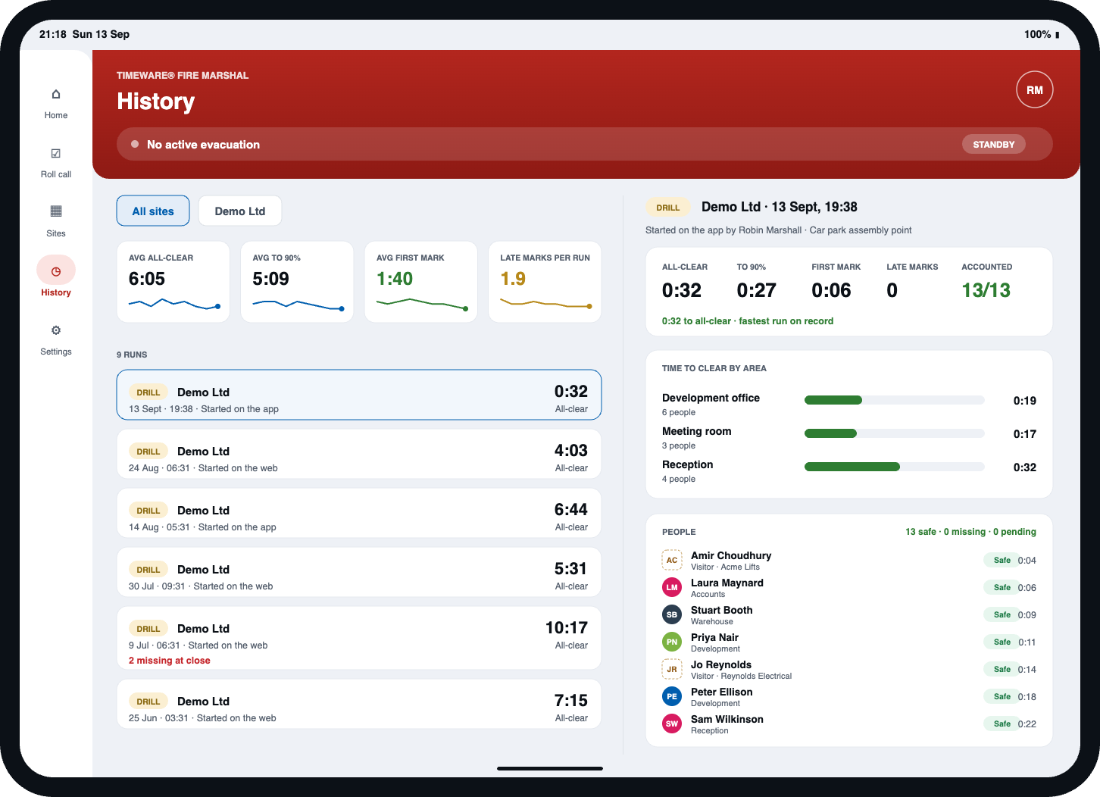
Time to all-clear, time to 90% accounted, first mark and late marks, per run and trended across runs.
✓
Time to clear by area, so you can see which part of the building slows the evacuation.
✓
Each row carries its evidence: last device, last-seen area, shift end and any leave, copied at start so history stays honest. Anyone still missing at close is flagged in red.
✓
Anyone not on the roll call is listed under “Not on site” so a marshal can still promote them, and contractors without a booking can be added ad hoc.
Visitors
Contractors and guests are on the fire list too.
A roll call is only as good as the people it knows about. Hosts book visitors from the ESS app and mark them in and out. Every visitor marked in is on the live board and, when an evacuation starts, goes straight onto the register with their company and mobile number.
Key functions
✓
One visitor record, many visits: name, company, mobile and vehicle registration, matched on email so nobody is duplicated.
✓
Every visit has a host, a site, an expected arrival and duration, and notes for assistance needs shown on the fire list.
✓
Hosts get three automatic nudges: a pre-arrival reminder, “has your visitor arrived?” and “are they still with you?”
✓
Forgotten visits retire themselves: no-shows drop off when the window passes, and visitors never marked out become presumed left. Stale employee presence expires the same way, so the board never shows ghosts.
✓
Switched on per ESS policy, so only the teams who host visitors see it.
Questions
Roll Call, answered.
How does timeware® know who is on site?
The roll call is calculated from clocking events in real time, arrivals, departures and access events across all devices.
What happens during a fire drill?
Staff tap in at the assembly point using a reader or their phone on a timeware® Puck, marshals mark people on the Fire Marshal app, or employees report themselves safe from ESS. Fire marshals watch the live list on a phone or tablet.
Can a timeware® Puck be an assembly point?
Yes. A Puck at the muster station needs no power or network, staff tap it with their phone running the ESS app.
Does it work across multiple sites?
Yes. Every site runs its own roll call with its own assembly points.
What if reception forgets to sign a visitor out?
The host is nudged to confirm, and if nobody answers the visit is marked presumed left once its window passes. Visitors who never arrive become no-shows automatically, so the roll call is never padded with people who are not there.