timeware® HRMS › The Social Feed
timeware® HRMS · Module
The social feed.
Company news where everyone sees it.
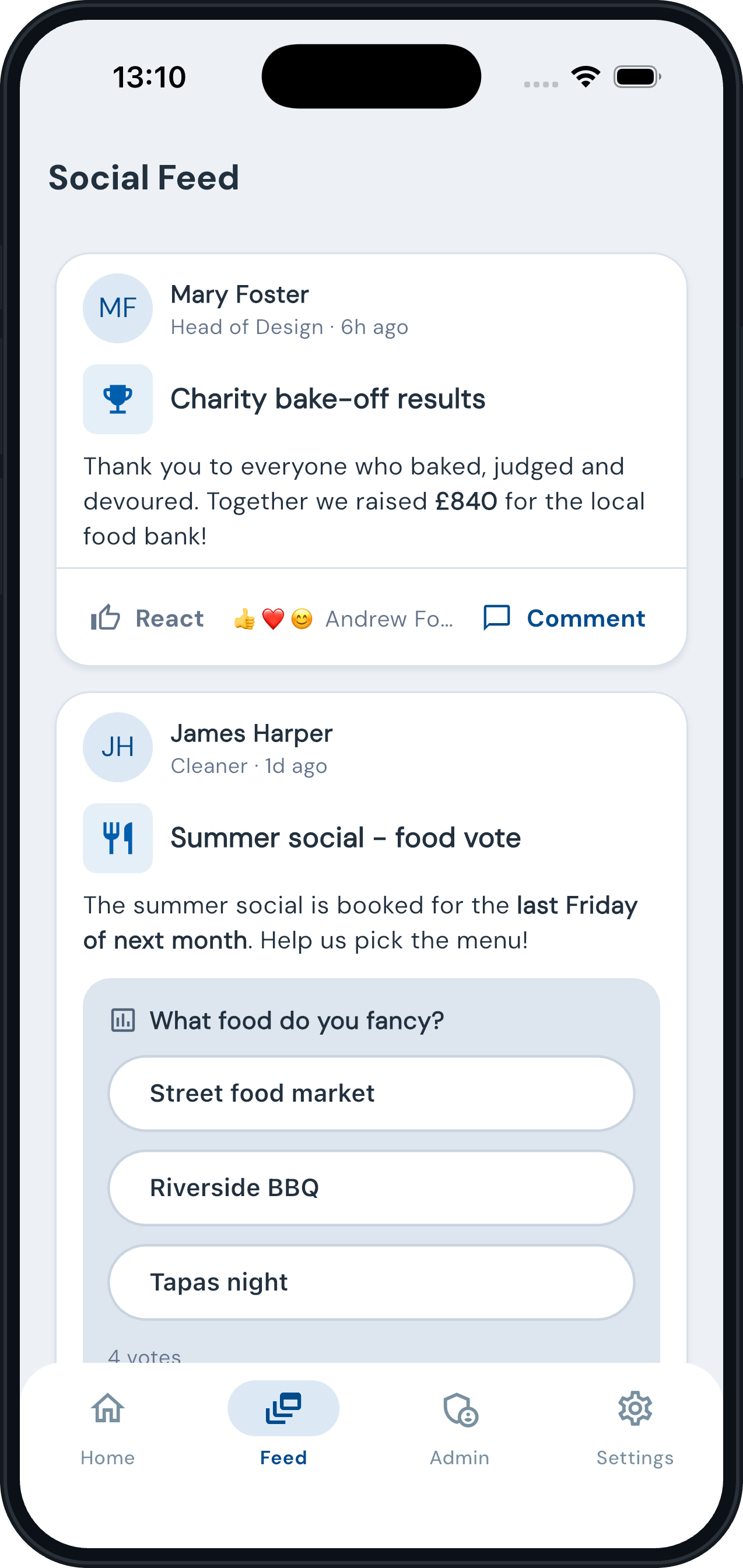
The Social Feed is timeware® HRMS’s internal communications hub. Share updates, recognise achievements, promote events and run polls, every message reaches the right audience, on any device.
Key functions
✓
Direct management-to-employee communication, targeted or company-wide messages.
✓
Cultural reinforcement, celebrate achievements, milestones and recognitions.
✓
Community building for hybrid, remote and deskless teams.
✓
Real-time updates with images, documents, video and polls added in seconds.
✓
Comments, polls and five reactions (like, love, smile, laugh, celebrate) make every update two-way.
✓
Before a post or library picture goes out, Azure AI Content Safety checks it for hate, sexual content, violence and self-harm. If something might upset people, the author is asked “are you sure?” first.
Target
Every post reaches exactly the right people.
Audiences are built from your organisation: sites, departments, job roles, groups or named people, combined with simple and/or logic.
Key functions
✓
Sixteen post types, from announcements, meetings and training to celebrations, awards and incidents.
✓
Target by organisation, site, department, group, job role or named employees.
✓
Posts carry dates, venues with map pins, images, documents, up to two videos and related links.
✓
Comments and reactions make every update two-way.
✓
Save as draft, publish now or schedule for a date. Reschedule, duplicate or archive at any time.
✓
Delivered to the ESS app with a push notification, deskless staff included.
Wall screens
Put the feed on the television in reception, the canteen or the shop floor.
Open a screen’s display link on any television browser and it cycles through your company-wide posts by itself. No sign-in, nothing to click.
Demo Ltd
Organisation chart
09:18
AF
Andrew Foster
Managing Director
190 people
LB
Laila Bednar
Sales Director
MF
Mary Foster
HR Director
SM
Sarah Mitchell
Operations Director
LO
Ladarius O’Conner
Marketing Director
RS
Reynold Schumm
Head of Product
AW
Anjali Weber
Finance Director
Key functions
✓
Set up as many screens as you need, each with its own language, light or dark look, number of posts and seconds per post.
✓
Shows only posts meant for everyone, because whoever walks past can see it, visitors included.
✓
Locked to your sites: each screen works only from the networks you allow, and its link can be replaced at any time.
✓
Optional organisation chart: switch it on and each round of posts ends with one team, the next team each time.
✓
Start the chart from any person, so a site’s canteen screen shows that site manager’s structure.
✓
Pictures and posts refresh on their own, so a screen left on all day stays current.
Questions
The Social Feed, answered.
Who can publish posts?
HR and nominated administrators publish from the timeware® back office. Posting is permission-controlled.
Can we target specific teams?
Yes. Posts can be filtered by organisation, site, department, group, job role or named employees, in any combination.
What types of content are supported?
Announcements, meetings, training, celebrations, awards and more, with images, documents, video, polls, related links, dates and venue details.
Where do employees see the feed?
In the timeware® ESS app on iOS and Android, and in the web version of ESS.
Can we add video?
Yes. Attach up to two videos per post from your media library. Each is streamed to the app with its own thumbnail, and the post keeps its own copy so later library edits never break the feed.
Can we prepare posts in advance?
Yes. Drafts are visible only to the author and managers until published. Set a publish date and the post goes live on its own, or duplicate last year’s post and reschedule it.
Do you check posts before they go out?
Yes. Words and pictures are checked by Azure AI Content Safety as they are added. Nothing is blocked automatically: if a post might upset someone, the author is asked to confirm, and the result is recorded with the post.
Will staff names appear on a reception screen?
Only if you choose. A wall screen shows company-wide posts, and the organisation chart is off on every screen until you switch it on for that screen.